
Quick answer
CatrinaBet has a VIP section and daily and weekly tasks, which were active at our review on 13 October 2026. Tasks give rewards when you meet activity goals; VIP shows your level based on your activity. Rules and amounts are only visible inside the app.
VIP
What is CatrinaBet VIP?
It is a level programme: the more you use the platform, the higher your level, and different benefits may be shown.
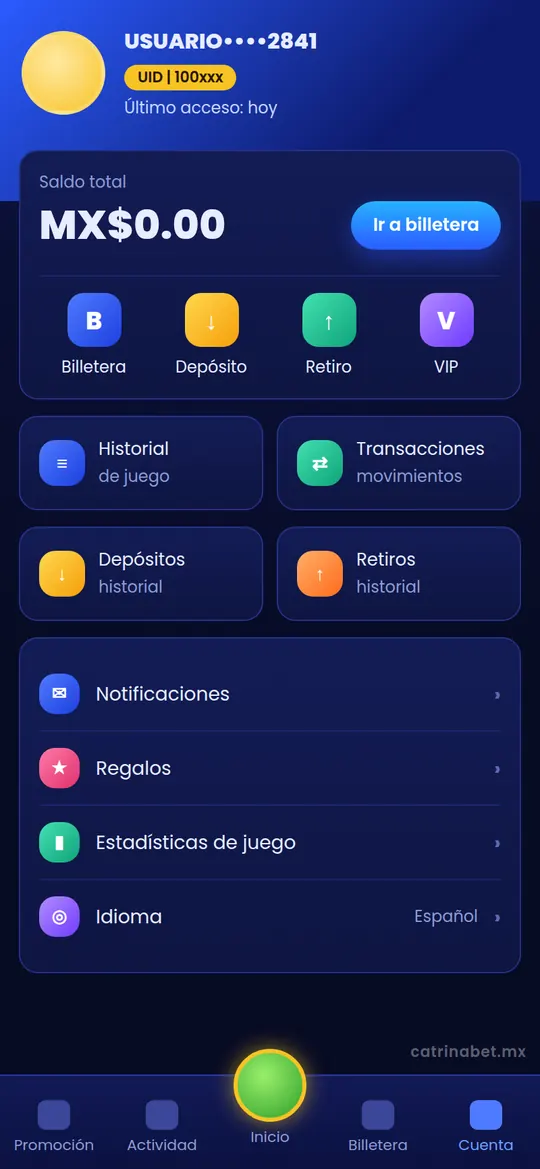
The CatrinaBet app has a VIP section; a notice from the platform itself linked to it. It shows your current level and what you need to move up.
We do not publish VIP levels, requirements or benefits because they do not appear without an active account and they can change. To see them, log in and open the VIP section from Cuenta (Account) or from the in-app notice.
Tasks
What are the daily and weekly tasks?
They are activity goals that, once met, give a reward you need to claim.
In September 2026 the tasks appeared inactive. At our review on 13 October 2026, the daily tasks and weekly tasks were active, while the recharge wheel was still inactive.
| Activity | Status on 13 October 2026 |
|---|---|
| Daily tasks | Active |
| Weekly tasks | Active |
| Recharge wheel | Inactive |
| VIP section | Available in the app |
Each activity’s status changes without notice. Confirm it in the app before counting on a reward.
Steps
How do you claim a task?
Open the task list, meet the goal and tap claim before the period resets.
- Log in and open the promotions or activities section.
- Go into Daily tasks or Weekly tasks.
- Read each task’s goal and reward.
- When you complete it, tap the claim button.
- Check in your balance or history that the reward was credited.
Checks
What should you ask before chasing a task or a VIP level?
If the goal pushes you to spend more than you planned, it is not worth it.
| Question | Why it matters |
|---|---|
| What do you have to do to complete it? | Some ask you to bet or deposit a set amount |
| When does it reset? | Daily and weekly tasks expire; anything unclaimed may be lost |
| Does the reward carry a wagering requirement? | You may not be able to withdraw it straight away |
| What does the VIP level give? | It should be written in the VIP section; if it is not, do not count on it |
Advice
Is it worth playing more to move up a VIP level?
No. A level’s benefits rarely make up for the extra spending needed to reach it.
VIP programmes reward activity, and activity has a cost. If you play just to level up, you may end up spending more than you get back in benefits. Treat VIP as an extra on top of what you were going to play anyway, not as a goal.
The same goes for tasks: if one asks for a bigger deposit or bet than usual, ignore it.
If gaming stops feeling like entertainment, stop and look for support. In Mexico you can call the free Línea de la Vida helpline on 800 911 2000.
Glossary
Which reward terms will you see in the app?
Claim, wagering requirement, reset and level are the most common.
| Term | What it means |
|---|---|
| Claim | The button to receive a reward you have earned; if you do not tap it, it may not be credited |
| Wagering requirement | The amount you must bet before you can withdraw a reward |
| Reset | When daily or weekly tasks start again from zero |
| VIP level | Your tier based on your activity on the platform |
| Progress | How far you are from completing a task or moving up a level |
If a claimed reward does not appear in your balance, check the history and, if it is still missing, send a request with a screenshot of the completed task.
Where can you see the other promotions?
In the general promotions guide and in the invitation wheel guide.
See CatrinaBet promotions for the overall picture and the invitation wheel for the target-amount activity. If a reward does not show in your balance, see the support guide.
VIP and tasks FAQ
Does CatrinaBet have a VIP programme?
Yes, the app has a VIP section with your level. Its rules are only visible when you are logged in.
What benefits does VIP give?
We do not publish them because we could not verify them; check the VIP section in the app.
Are daily tasks active?
Yes, at our review on 13 October 2026 the daily and weekly tasks were active.
Is the recharge wheel active?
No, it appeared inactive at our review.
Do tasks expire?
Yes: daily tasks reset every day and weekly ones every week. Claim before the reset.
Do I have to deposit to complete a task?
It depends on the task. Read the goal and do not deposit just to complete it.
Key takeaways
- Daily and weekly tasks active on 13 October 2026; recharge wheel inactive.
- VIP exists, but its rules are only shown in the app.
- Do not spend more to level up or complete tasks.
- Adults 18+ only. catrinabet.mx is an independent guide: it does not handle accounts or money. Details can change; always confirm inside the app.
More guides on the catrinabet.mx front page.